

Electronic data exchange
- Phone: +3592818 909
- e-mail: ecod@ecodbg.com

The platform has been developed to meet the needs of both large retail chains and medium and smaller companies that wish to improve their communication with their partners.
The service is applicable in any company, regardless of the scale of the business. COMARCH EDI is available in various modifications – for manufacturers, for distributors, for retail chains, etc.
Documents that are transmitted electronically most often are: orders, goods receipts, invoices, order confirmations, payment notifications, etc.
The first retail chain to choose this form for exchanging documents with its suppliers was Billa Bulgaria, and in 2009 Eltrade introduced electronic invoices in Metro Bulgaria EOOD.
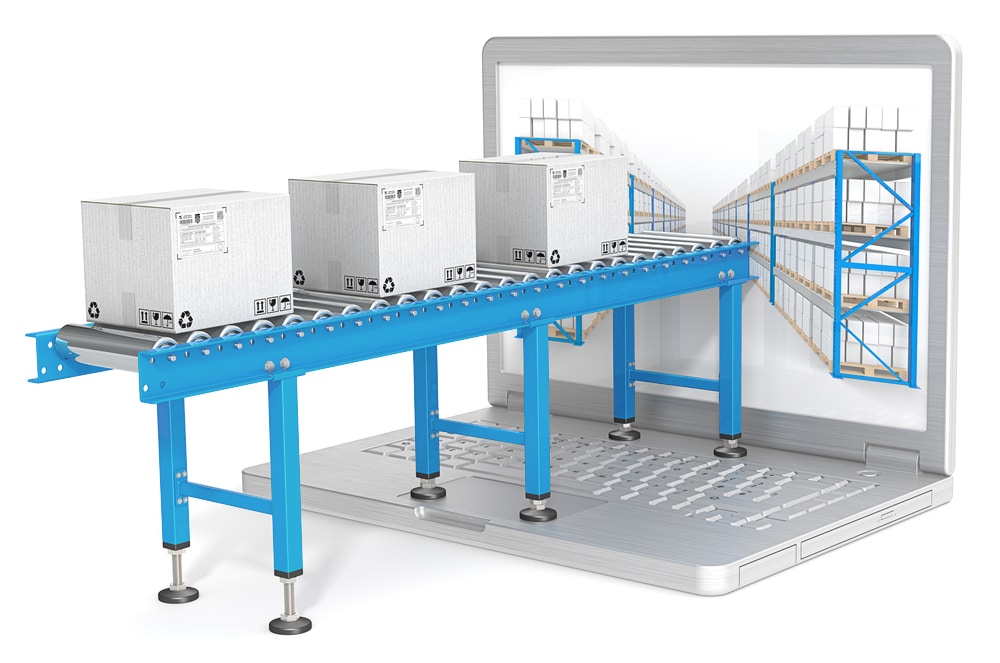

Most large retail chains, chains, pharmacies and drugstores in the country trust the EDI platform for the exchange of documents with their suppliers. Among the users of the service are:
- Billa Bulgaria, Metro Bulgaria EOOD, Fantastico, Kaufland Bulgaria, Lidl Bulgaria, Maxima Bulgaria,
- Baumax Bulgaria, Monsieur Bricolage, Technopolis Bulgaria, Praktiker Retail,
- DM Bulgaria,
- Pharmastor, Sopharma Trading, Medea Farmaco,
- OMV Bulgaria, EKO Bulgaria, etc.
The introduction of EDI makes it possible to optimize internal business processes and relationships with suppliers. The electronic exchange of information is a prerequisite for goods to move faster along the producer – trader – buyer chain. The faster this movement is, the greater the profit achieved per unit of capital. The use of EDI ensures a more reliable and secure path of commercial information from a company to its trading partners and vice versa.
Unlike other forms of electronic communication, such as e-mail, EDI messages follow a strictly defined standard, no matter in which country the counterparties are located or what kind of management program they use, such as warehouse or accounting software, etc. The archiving system makes available at any time the relevant document for references, revisions and reports.

WHAT DO YOU EARN
Document workflow automation:
- Increase automatic document processing.
- Reduces the cost of telephone, paper, labor and time for receiving, checking and comparing documents.
- It reduces the possibility of losing documents.
Turning off manual operation:
- Prevent errors in documents at the highest level.
- Correctly completed documents.
- Saving time related to corrections and error identification.
Automatic creation of return documents:
- For example, automatic order confirmation.
- Optimization of work, saving time.
Logistics optimization:
- Fast transfer of documents.
- Significant reduction of errors in documents.
- Optimal supply planning.
Inventory optimization:
- Quickly receive accurate information from partners.
Improved collaboration with business partners:
- Fast and secure exchange of information.
- Immediate response to the needs of the partner party.
- Opportunity for further development of the project.
COMARCH EDI Archive is a module to the COMARCH EDI platform, designed for storing documents in electronic form. The solution gives you the opportunity to archive the electronic invoices you exchange through the Comarch EDI platform with your business partners.
The product complies with the requirements of the Bulgarian legislation regarding the exchange of electronic invoices between commercial partners. The system stores the documents for the period required by law, allowing them to be submitted for audit by the tax authorities.


Comarch EDI Archive is a flexible, easy-to-use solution with which you can search, arrange and group archived documents by predefined criteria. The system has a remote access interface that can be configured according to the individual requirements of the client. In addition to electronic invoices, this module can archive other types of documents at the request of the client.
Comarch EDI Archive comes into play without the need for a long upfront implementation period – our offering includes the supposed functionalities you want as a continuous long-term service.
The system is protected against unauthorized access, changes in content, deletion and destruction.
1. Who are COMARCH?
ComArch is a global developer and provider of IT business solutions used for complete customer service, optimization of operational activities and business processes. The main advantage of the Krakow, Poland-based company is the deep sectoral knowledge that we pass on to our clients through integrated information systems.
Comarch offers solutions for key sectors of the economy, such as: telecommunications, finance, pharmaceuticals, fuel industry, trade, as well as for the small and medium-sized enterprise sector. The line of products offered by Comarch includes ERP-class systems, financial and accounting systems, CRM systems and loyalty programs, electronic document exchange systems, Business Intelligence systems, etc.
Comarch is a leading IT company in Central and Eastern Europe, as well as a leading provider of EDI services in Poland.
2. What is Electronic Data Interchange (EDI)?
There are many definitions that describe the concept of EDI (Electronic Data Interchange) in both a broad and narrower sense. Electronic data exchange is mainly intended for the exchange of commercial and financial documents in electronic format between business partners through communication software and communication chain.
EDI technology is mainly used for fast, safe and correct exchange of the necessary data, as well as to reduce the influence of the human factor in the document processing process, which in turn has a positive impact on the quality of the information transmitted.
This approach to data exchange allows for significant optimization of the company’s document flow and business processes.
3. What are the benefits of introducing electronic data interchange (EDI)?
The main advantage of EDI technology is the ability to quickly and accurately transfer documents between business partners, which allows you to improve the company’s document flow process. Optimizing documentation management directly affects the performance of other departments (e.g., logistics, accounting). Below are some benefits that the implementation of the EDI project can bring:
Document workflow automation:
- Increase automatic document processing.
Turning off manual operation:
- Prevent errors in documents at the highest level.
- Correctly completed documents.
- Saving time related to corrections and error identification.
Automatic creation of return documents:
- For example, automatic order confirmation.
- Optimization of work, saving time.
Logistics optimization:
- Fast transfer of documents.
- Significant reduction of errors in documents.
- Optimal supply planning.
Inventory optimization:
- Quickly receive accurate information from partners.
Improved collaboration with business partners:
- Fast and secure exchange of information.
- Immediate response to the needs of the partner party.
- Opportunity for further development of the project.
4. What is the role of the EDI service provider?
The EDI service provider provides all the necessary tools for the exchange of electronic documents between partners and provides the necessary infrastructure for the processing of electronic documents.
The Provider controls the entire process of transmitting and processing documents, monitors the status of electronic documents (sent, received, read, etc.) and informs about certain events if necessary.
The provider must ensure the accurate and timely delivery of electronic documents from one partner to another, ensuring the safety, confidentiality and reliability of the transmitted information.
5. Can you introduce electronic data interchange without an EDI provider?
Of course, you can act as a vendor and try to create and implement EDI on your own. For example, you can create a system for receiving, processing, verifying, and transmitting electronic documents; to ensure constant control and monitoring of the system, to create modes of operation for each business partner (you should keep in mind that each of your partners will work with different message formats, different types of documents, through different communication channels). To achieve the above-mentioned goals, you need help not only from the entire IT department but also from a comprehensive infrastructure to ensure flawless operation. However, these significant financial, labour and other costs cannot offset their purpose.
The international company Comarch, an EDI service provider, provides all the above-mentioned activities at a professional level. Using the services of an EDI provider, you exchange the necessary electronic documents with your partners, focusing on your own business, and you are confident in the quality of services and the experience you have gained through the EDI provider.
6. What types of documents are used in electronic exchange?
Currently, a huge amount of electronic documents of various types are transmitted in the world. In addition, there are dedicated organisations that have set standards for the most commonly used types of documents to simplify cooperation between partners. One of these organizations is EANCOM, which has set a standard for about 50 different types of documents.
What are the most commonly used types of electronic documents:
PRICAT – Price Catalog
- An electronic message containing a full or partial list of the goods and their detailed description.
ORDERS – Delivery Order
- A delivery order is an electronic message sent by the customer to the supplier, which contains a list of the ordered goods (services), as well as quantity, prices, delivery dates and addresses.
ORDRSP – Order Confirmation
- An electronic message used by the supplier to confirm the delivery of an item or inform about non-shipment.
DESADV – Sales receipt
- An electronic message containing accurate data on the contents of a batch of products, which is sent to a business partner at the same time as the actual delivery of the cargo or before.
RECADV – Difference/Delivery Protocol
- Electronic notification of accepted products. After the goods are accepted, a message can be automatically created. The document contains information about the products actually accepted (a reason for refusal to accept them can also be indicated).
DELNOT – Delivery Notification
- Delivery notifications provide information about the products shipped to business partners.
RETANN – Notice of Claims
- The complaint notice is sent by the business partner, notifying the supplier of the goods that are subject to delivery to the supplier for any reason.
INSDES – Shipping Instruction
- An electronic message containing detailed information about the delivery parameters: place, quantity of goods, date, etc.
INVOIC – Invoice
- An electronic invoice sent by a supplier of goods or services to approve the final price. An electronic message of this type contains bank details of the business partner, order numbers and dates and delivery notification, product name, price, total amount of the document, etc.
COMDIS – Contesting an invoice
- An electronic message used if the INVOICE document submitted by the supplier of goods or services contains errors, e.g. wrong VAT number, changed price of goods, etc.
COACSU – Commercial summary
- Summary of trading accounts between the accounting departments of business partners, including the accounting department of a retail chain and its suppliers.
INVRPT – Inventory Statement
- An electronic message that contains information about the goods from specific stocks left in a particular store or warehouse. This document allows you to control the condition of the warehouse and is aimed at tracking the movement of goods within the company and warehouses.
SLSRPT – Sales Report
- An electronic message that contains information about goods from specific stocks sold by a particular store or warehouse. This type of document makes it possible to monitor sales of goods, control inventories, control the ability to plan the supply of goods (VMI) and optimize stocks on time.
PARTIN – Information for partners
- An electronic message containing detailed information about your business partner, such as: unique identification number, physical and legal addresses, VAT number, phone numbers, etc.
7. Is the electronic exchange of documents mandatory?
There are no strict legal requirements regarding the use of electronic document interchange. Today, however, the exchange of electronic documents is not an innovation, but an integral part of successful business operations, as well as one of the competitive advantages not only for large, but also for small and medium-sized businesses. Many of the main participants state that EDI is the only way to collaborate with their partners that improves and simplifies the relationship between them.
8. What is a GLN number?
The Global Identification Number GLN is an international code applied in electronic data interchange and e-commerce systems. The GLN has been put into operation by the standard of the GS1 International Organization (General Specifications for EAN/UCC). GLN is a 13-digit numeric code (number) used to accurately and concisely identify (or identify) legal persons, functional units and physical objects. GLN is used for:
- Electronic Data Interchange (EDI) in identifying the sender and recipient of electronic messages, as well as other parties involved in a commercial transaction: buyer, seller, carrier, etc.
- In logistics and transport operations to identify physical objects and recipients. For example, using a GLN number, you can fill in a field from the label “To be sent (delivered)”.
- For bar-coding – GLN is essential for the use of EAN-128 characters along with standard application identifiers (AI).
- In e-commerce.
GLN numbers are issued only to GS1 members, which is recognized with a corresponding certificate, as well as by entering the information about the member enterprise in the database of the Association.
9. Why do you need a GLN number?
The GLN number provides a unique identification to all participants in the exchange of electronic documents. The GLN number is necessary to ensure the correct flow of electronic documents and goods between business partners engaged in electronic document management. The use of a GLN number is an essential condition for EDI users.
10. How do I get a GLN number?
You can get a GLN number by contacting GS1. Contacts and additional information can be found at the following e-mail address: https://www.gs1bg.org/bg/
11. What is the COMARCH EDI platform and what advantages does it have?
The Comarch EDI platform is a universal platform for the exchange of commercial electronic documents (it works on the basis of EDI technology – Electronic Data Interchange). It is a single environment for the transmission and processing of commercial electronic documents for all business partners. This platform has been designed by Comarch in accordance with ECR requirements. What are the benefits of using the platform:
- Flexibility of solutions based on the Comarch EDI platform.
- Different areas of application: from small and medium-sized enterprises to large companies.
- Convenient connection methods that meet all requirements and capabilities.
- Different areas of project development (increasing the number of partners, new types of documents, optional modules).
- Ability to implement in various industries (retail chain, manufacturers, logistics operators).
- This platform is applied to the implementation of international EDI projects.
12. How secure is the COMARCH EDI platform?
The Comarch EDI infrastructure is located in the dedicated Comarch Data Center, which ensures reliable, secure and uninterrupted operation of all systems.
- State-of-the-art and high-efficiency UPS and electric generators provide uninterrupted power to the Comarch Data Center.
- The power supply system is monitored 24/7; The data center has an alert system and various signaling mechanisms.
- The hardware and networks in the machining center are constantly monitored. Any unauthorized intrusion will be detected immediately.
- Specialized software tools and hardware components, as well as a team of qualified security professionals, ensure data integrity.
- The building is guarded around the clock.
13. What are the methods for connecting to the COMARCH EDI platform?
There are two main methods of connecting to the Comarch EDI platform:
1. Web application
Comarch EDI Web is a web-based application for electronic document management (receiving electronic documents, generating responses based on received electronic documents, transmission, etc.). The only requirement is a computer with internet and web access. Optimal solution for a small number of documents.
Capabilities of the Comarch EDI web application:
- Quick connection and easy access to the app.
- A personalized account for each individual user.
- The connection does not require an IT department commitment.
- Secure data transfer: username and password, data encryption with 128-bit key, SSL protocol.
- Notifications when a document is received by a specific e-mail.
- Quickly search and view documents in an easy-to-read format.
- Document printing.
- Save documents to hard disk such as XML, PDF, EXCEL files.
- Monitoring of statuses during document processing.
2. Integrated Connection
The integrated connection allows you to work with documents as it was done before in the accounting system, but at the same time it fully automates the circulation of electronic documents, “customizes” the system in the required format and applies a familiar method of data transfer (transport protocol).
Within the integrated connection, you can choose:
1. Format of the following electronic messages: XML, EDIFACT, Flat File, IDOC, other.
2. Connection via transport protocol: HTTPS – web-service, FTP, FTP/VPN, AS2, other.
If the integrated connection is selected via a web service (WS), Comarch can provide Comarch EDI Connector software for automatic data exchange.
Comarch EDI Connector is software that allows electronic documents to be automatically exchanged in a certain format between the interface of the client’s internal system and the COMARCH EDI platform. Each user of software receives documentation that contains file specifications and instructions for setting up the software. Convenient for medium document flow.
Comarch EDI Connector software capabilities:
- Easy to install.
- The integration of the client’s accounting system (ERP) with the Comarch EDI platform allows users to process documents in a way they are already used to.
- Automatic transfer and receipt of documents on schedule.
- Secure transmission is guaranteed thanks to the use of SSL protocol and 128-bit encryption.
- Allows manual transfer and receipt of electronic documents.
- Most convenient when working with an average number of documents.
- Access to a Comarch EDI web account.
14. How to choose a method to connect to COMARCH EDI?
The choice of connection method requires taking into account the level of development of the enterprise’s IT and the use of electronic document exchange. The answers to the following questions can help you choose the most optimal method of contacting the Comarch EDI platform:
- How do we want to work with documents (through a web browser, in the accounting program)?
- How many documents (per month) are exchanged with partners?
- Can we include an IT specialist?
Depending on the answers to these questions, the Comarch EDI platform offers several ways to connect:
Comarch EDI Web, an electronic document management application that is suitable for you in case of:
- process the documents received in the web application and send counter ones;
- exchange a small number of documents per month with partners;
- you can’t turn on an IT specialist.
Integrated connection to the use of the Comarch EDI Connector (HTTPS protocol) – software for automatic exchange of electronic documents, which is suitable for you in case of:
- you want to work with documents in your accounting system, and the process of processing electronic documents through the Comarch EDI platform to be automated;
- exchange small/medium number of documents per month with your partners;
- you can include an IT specialist for a one-time software installation.
Integrated connection with the use of other transport protocols FTP, FTP / VPN, AS2 – this connection method for automatic exchange of electronic documents is suitable for you in case of:
- work with documents in a warehouse and accounting system, while the platform must be used for automatic document exchange;
- exchange a large number of documents per month with your partners;
- you can involve an IT professional to configure an integrated connection with the Comarch EDI platform.
15. How is the integration with EDI carried out?
Implementing EDI using the integration takes a little more time and effort than connecting through a web application, but the integration is a perfect opportunity to take full advantage of the benefits of EDI technology, which guarantees the familiar method of working with documents in your accounting system.
EDI integration requires you to do the following:
- Determine the format of the electronic documents you want to work with.
- Determine the types of electronic documents you want to work with.
- Define the specification of the electronic document (sometimes it varies for different retail chains).
- Define the transport protocol that you will use for the exchange of electronic documents (if the Comarch EDI Connector is selected, it is enough to configure uploading/downloading files from/to the necessary catalogs).
- Participate in the configuration of a transport protocol on your part.
- Configure proper upload/download of files with subsequent transmission via a selected transport protocol.
16. How to join COMARCH EDI?
To join the large EDI family, you can contact Eltrade – the official representative of COMARCH EDI for Bulgaria. Phone: +359 (02) 818 909 or email: ecod@ecodbg.com
17. Do IT professionals need to be involved in the COMARCH EDI connection process?
Whether to involve IT specialists to carry out the exchange of electronic documents depends on your contact requirements. In the case of connection via the Comarch EDI web application, such a specialist is not required. If you want to integrate your accounting system to ensure automatic downloads and uploads of documents, you will need help from IT professionals. The level of involvement of IT professionals will depend on the type of accounting system used in your company.
18. What is the cost of joining COMARCH EDI?
Contact us by phone: +359 (02) 818 909 or email: ecod@ecodbg.com and we will offer you the best offer.
19. How long does it take to connect to EDI?
The duration of getting started with EDI depends on the number of partners with whom you want to exchange electronic documents, as well as the method of contact chosen. The fastest method to get started is to connect via the Comarch EDI web application. If the retail chain has relevant information about including a supplier in EDI, such a connection may take up to 1-2 business days.
If you choose a more automated way to connect to EDI, then the startup period is longer. For example, connecting via the Comarch EDI Connector takes about 5 business days on average, as it requires the involvement of an IT specialist.
If you have any questions during the launch of an EDI project, please contact Comarch EDI technical support: tel.: +359 (02) 818 909.
20. How can I find out which partners I can start working with through EDI?
The main retail chains with which you can exchange electronic messages are: Kaufland Bulgaria, Metro Bulgaria EOOD, Billa Bulgaria, Fantastico, eBag, Nikon, Lidl Bulgaria, Technopolis, Praktiker, Baumax, DM drugstores, Medea pharmacies, Sopharmacy pharmacies, Eco and OMV petrol stations, LS Retail (Imedia).
If you do not find your partner on the list, you can contact us and we will check the possibility of starting EDI with him.
21. What should I do to obtain documents from another retail chain through the COMARCH EDI platform?
If you are already an EDI user, the only thing you need to do to incorporate a new retail chain is to submit your request in writing to us by email helpdesk@ecodbg.com. In case the retail chain works with EDI, we will immediately make the necessary connection to your account and you will be able to start exchanging EDI messages. In this way, we can also include your other partners.
22. What should I do if I can’t log in when entering my username and password?
If you have forgotten your password or are unable to log in for other reasons, please contact Comarch EDI technical support.
Make sure you enter the correct user number and password, as after 5 attempts within 30 minutes to enter the wrong user data, your account will be blocked for 30 minutes and will be unblocked automatically. An account that has 5 attempts to recover or change a password within 24 hours will be blocked for 24 hours.
Please contact Comarch EDI Technical Support to activate the account at email helpdesk@ecodbg.com
23. How do I change a password?
Please go to “Settings” to change your password. Select the “Change password” option and fill in the fields for current password, new password, and new password confirmation. You can change the password only when you log in. If you have any further questions during password change, please contact Comarch EDI technical support at email helpdesk@ecodbg.com.
24. How can I get up-to-date information about the sites (place of delivery) of retail chains?
You can get up-to-date information about the vows (place of delivery) of retail chains by contacting Comarch EDI technical support by email helpdesk@ecodbg.com
25. How can I update the product catalog in COMARCH EDI WEB?
The product catalogue is updated in the COMARCH EDI web application in the “New document” tab. In this section, the following parameters must be selected: “Recipient”, “Document type”, “Relationship”. After you select the required parameters, only the available documents for that relationship will appear. After selecting the required link, the “New document” and “Send document as attachment” buttons will be active. Depending on the option selected, you can create a new document with an existing template or download a document from a ready-to-use file. If you update an existing product catalog while creating a new document, you’ll be presented with a previous product catalog that you can change.
26. How to configure email notifications when receiving new documents?
To configure the receipt of e-mail notifications in the COMARCH EDI web application, please go to the “Settings” tab. Then select the “Notifications” option and set the email address of a specific partner, an interconnection type for incoming documents. When selecting partners from the list in the “Partner” field, the list of relationships will be limited by the available relationships for that partner. You can enable/disable sending email notifications only after defining the link.
You can simultaneously select/uncheck all email addresses with the checkbox above. The “Save changes” button for a selected interconnection updates data for that partner. The e-mail addresses in the “Contact Details” tab do not change and remain identical for all interconnections.
To configure the receipt of e-mail notifications for new documents you receive using the Web-Service or the COMARCH EDI Connector, please contact Comarch EDI Technical Support at +359 (02) 818 909
27. How to configure the most convenient method for filtering WEB documents using COMARCH EDI?
The additional filter panel allows you to define and manage stored filters and columns. If you select the “Manage Filters” and “Manage Columns” options, a new window appears where you can change the settings of the search filters and columns in the document table.
The “Manage filters” window allows:
- Change the name of an existing search filter
- Delete an existing search filter
- Change an existing search filter
- Create a new filter under a new name based on the existing one
- Create a completely new filter under a selected name
After you select the required criteria in the Search section of the Filter and Search panel, you can save them as a ready-to-use filter by specifying the name of a new filter in the More section and specifying whether that filter will be used by default.
The “Manage columns” option allows:
- Change the name of an existing set of columns
- Deleting an existing set of columns
- Modify an existing set of columns
- Create a new set of columns under a new name based on the existing
- Create a completely new set of columns under a selected name
- Set a default set of columns
28. What is the synchronization of a product catalog with a retail chain and what is it used for?
Before you start exchanging documents with your EDI partners, you need to sync product data. The main purpose during product data synchronization is to detect whether barcodes, buyer codes, and seller codes marked for a particular item match.
Timely synchronization of the main data of the products will make it possible to receive electronic documents with correct data and to avoid errors in the interpretation of data on items due to code discrepancies in the systems of trading partners.
As you introduce EDI technology into your company, our specialists will help you coordinate your actions.
29. How do I check the status of a submitted/received document?
For incoming documents, the system provides for two statuses:
- Business status that changes automatically after the completion of the operation assigned to it. If you create a goods receipt – the status changes to a “Sent” notification in the order. Information about the status of the document is located in the column “Business status”.
- An additional status that the user assigns and changes manually. The following statuses are available: “Read”, “Printed”, “Canceled”, “Closed”.
This information will only be available to the opposing party (retail chain) if the status changes to “Read”. Other statuses are only available to the user.
For outgoing documents, the processing status changes automatically. The actual status of an operation is displayed in 2 columns in the “Processing Status” field in the “Outgoing” tab:
- Graphically: green checkmarks (in case of correct processing) or red crosses (in case of error).
- As a description: clicking on the status description text opens a window with the history of changing the status of this document.
Statuses are available for 3 stages of processing:
- Processing status of documents passing through the COMARCH EDI system – indicates information whether the document has been processed correctly by the system or postponed.
- Transport status – informs whether the document has been delivered to a partner.
- Application status – displays the information from the recipient’s system if this information is sent and is available (for example, the document is imported, taken into account or rejected).
30. How to add user data to COMARCH EDI WEB?
In the “Settings” tab, select the “Partner Information” option, followed by “User Data” – here you can see and change your company’s data. Press the “Edit” button in the lower right corner to change the data. Below the company information table, a form will appear where you can enter changes for all fields. The exception is the field with the ILN / GLN number – you cannot change it. For some fields, there is a mechanism for checking the correctness of the data:
- ISO country code – you can only enter letters in ZZ format (for example, BG).
Press the “Save changes” button to confirm the changes. If you want to clear all fields, use the “Delete” option. If you don’t want to confirm the changes, click the “Cancel” button.
Remember that this data must be identical to the data in the retail chain system. Otherwise, the documents will not be processed properly.
31. What should be done to connect a new legal entity to the COMARCH EDI platform?
To register you for EDI you need:
- Fill in a confirmation form for the legal entity
- Have your organisation’s GLN number
- Knowing which partners you will start EDI with
The rest is our business!
32. What should I do if I do not find an answer to my question in this document?
In case you do not find an answer to your question, please contact Eltrade by phone: +359 (02) 818 909 or email: ecod@ecodbg.com